
Struggling to Track Where Your Money Goes?
FINANCE TRACKER 360: It is a Notion template that tracks your income, expenses, transfers, recurring bills, subscriptions, goals, investments, assets & liabilities — with clean dashboards, monthly views, and zero-fuss reports.
Works on the free Notion plan. Lifetime access + lifetime support included.
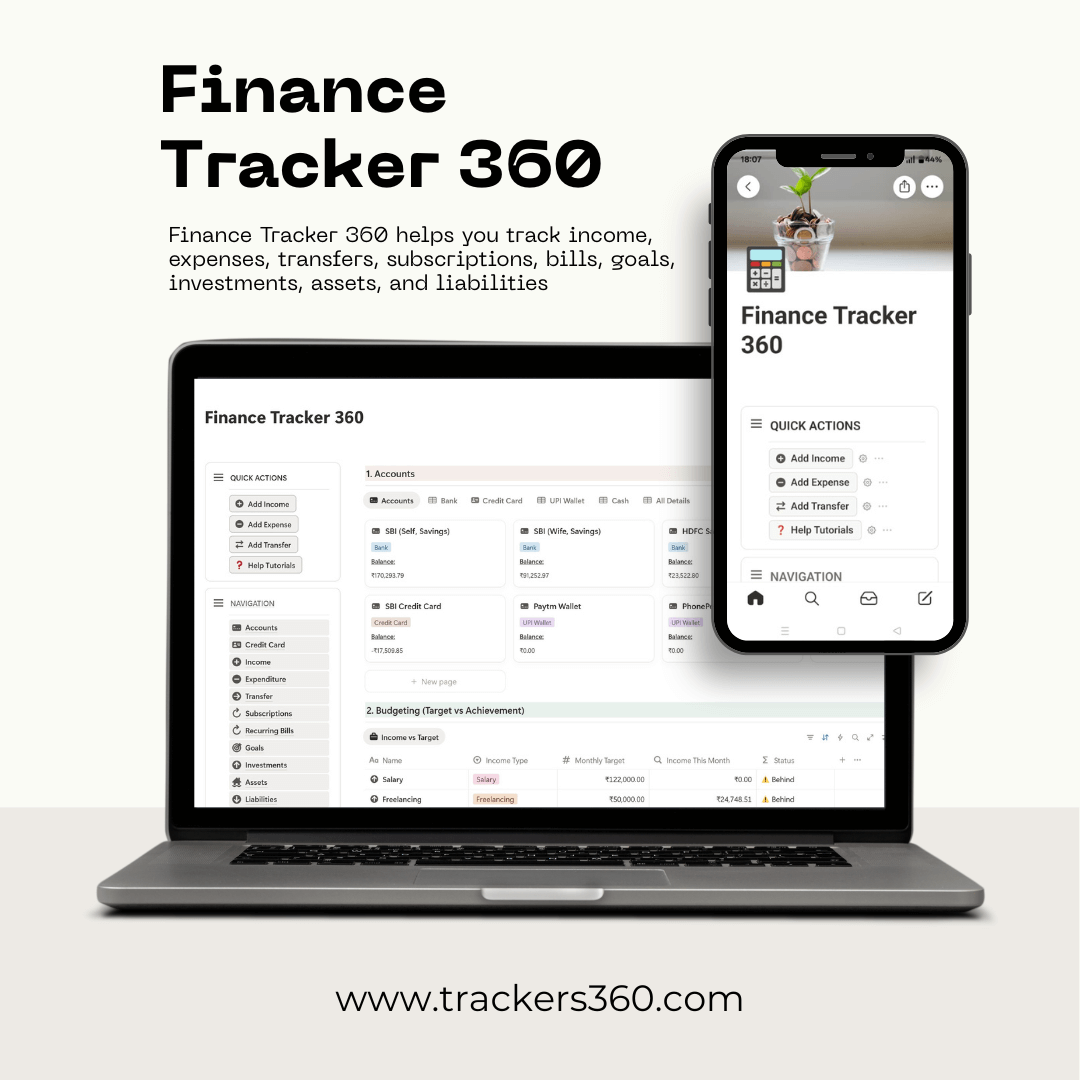
Main Features
Finance Tracker 360 template built in Notion will help you track your finances month by month, set short-term as well as long-term goals, set reminders for bills & subscriptions and more. You'll have complete control of your finances.
Have a look at some of its important features below.
1. All Accounts in One Place
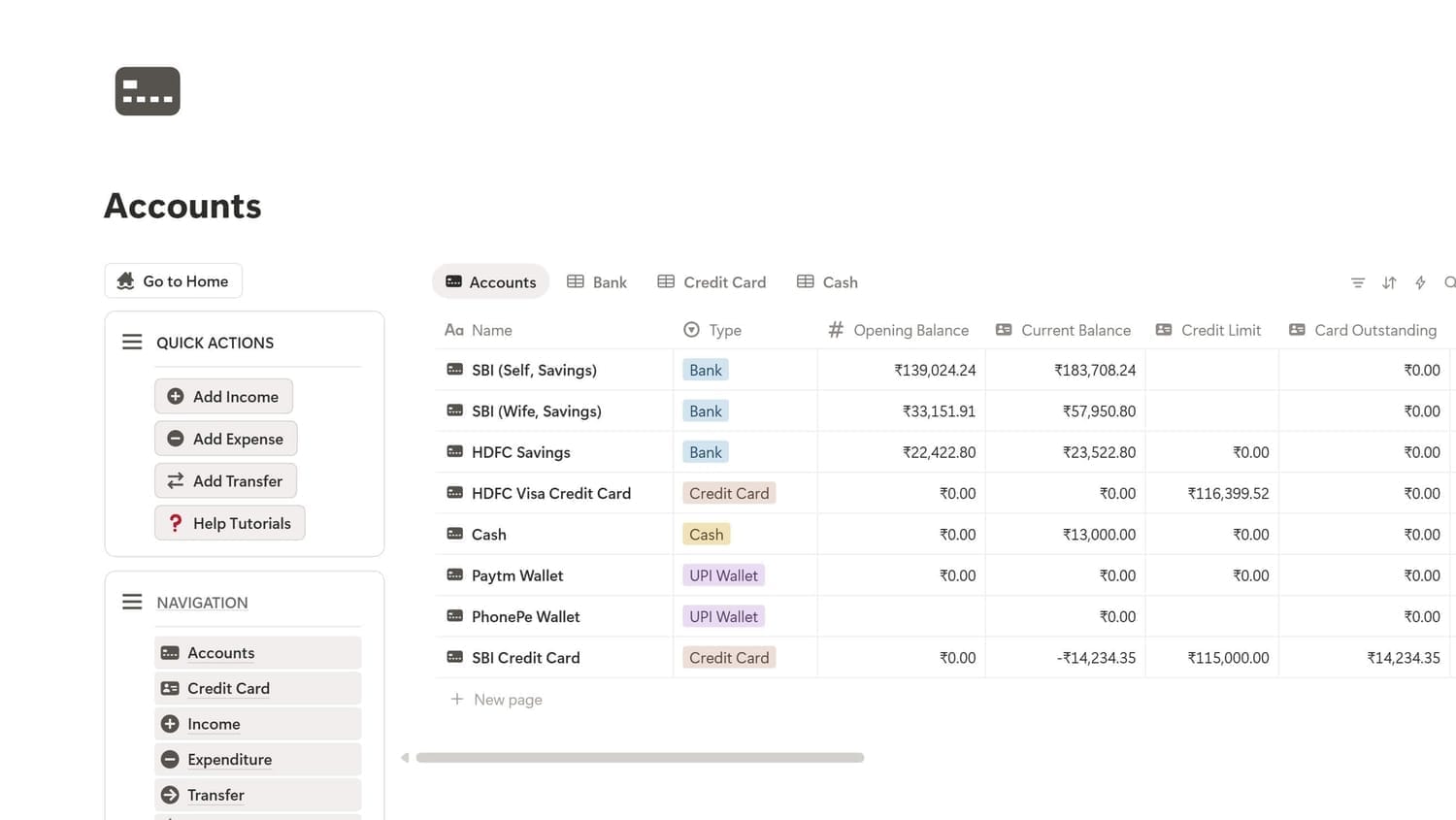
Banks, UPI/Wallets, and Credit Cards with live balances & available credit.
2. Fast Logging
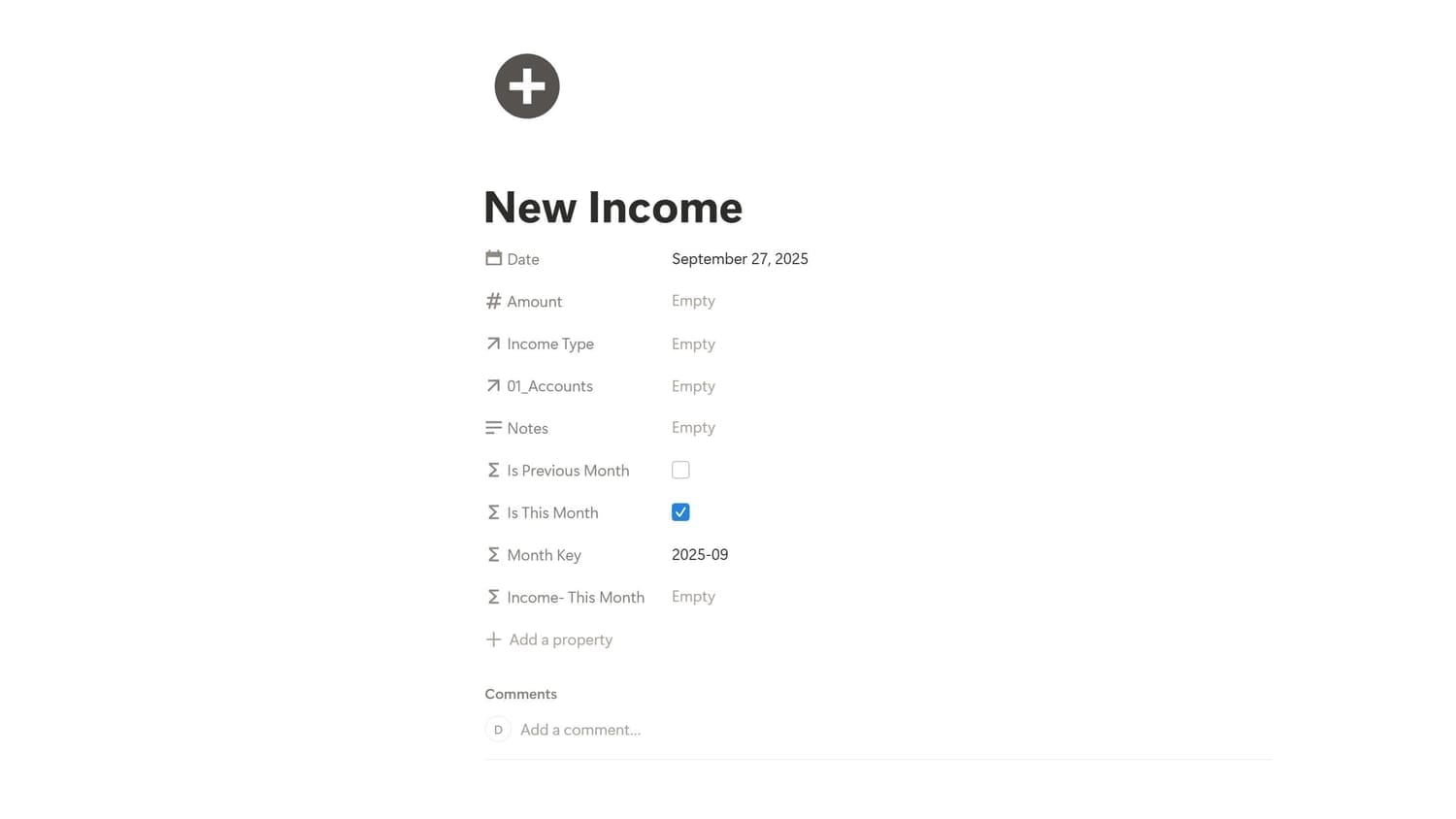
Income, Expenses, and Transfers (bank↔bank, bank→card, bank→goal, bank→investment, investment→bank).
3. Budgets that Stick
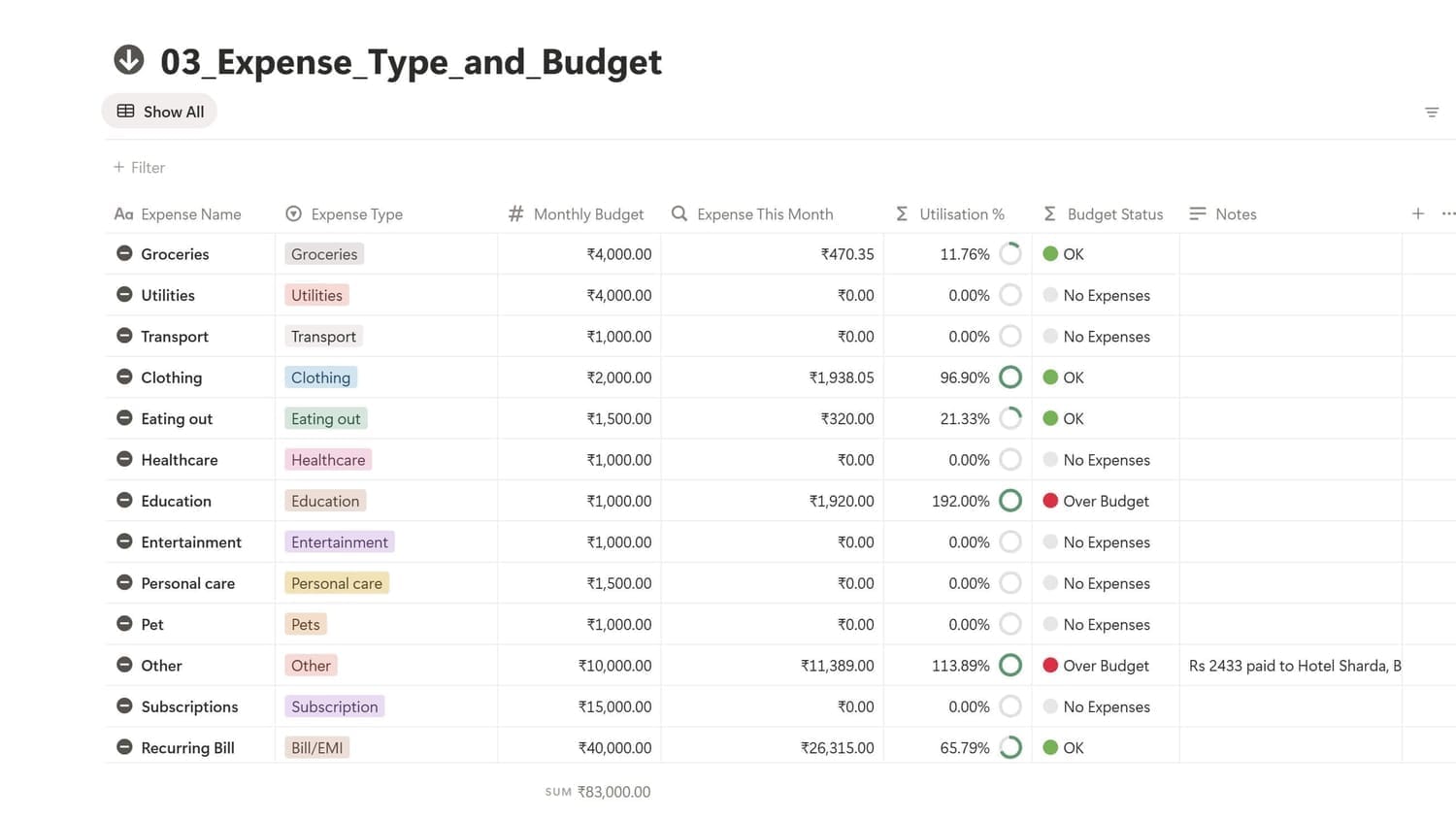
Banks, UPI/Wallets, and Credit Cards with live balances & available credit.
4. Subscriptions / Bills Handled
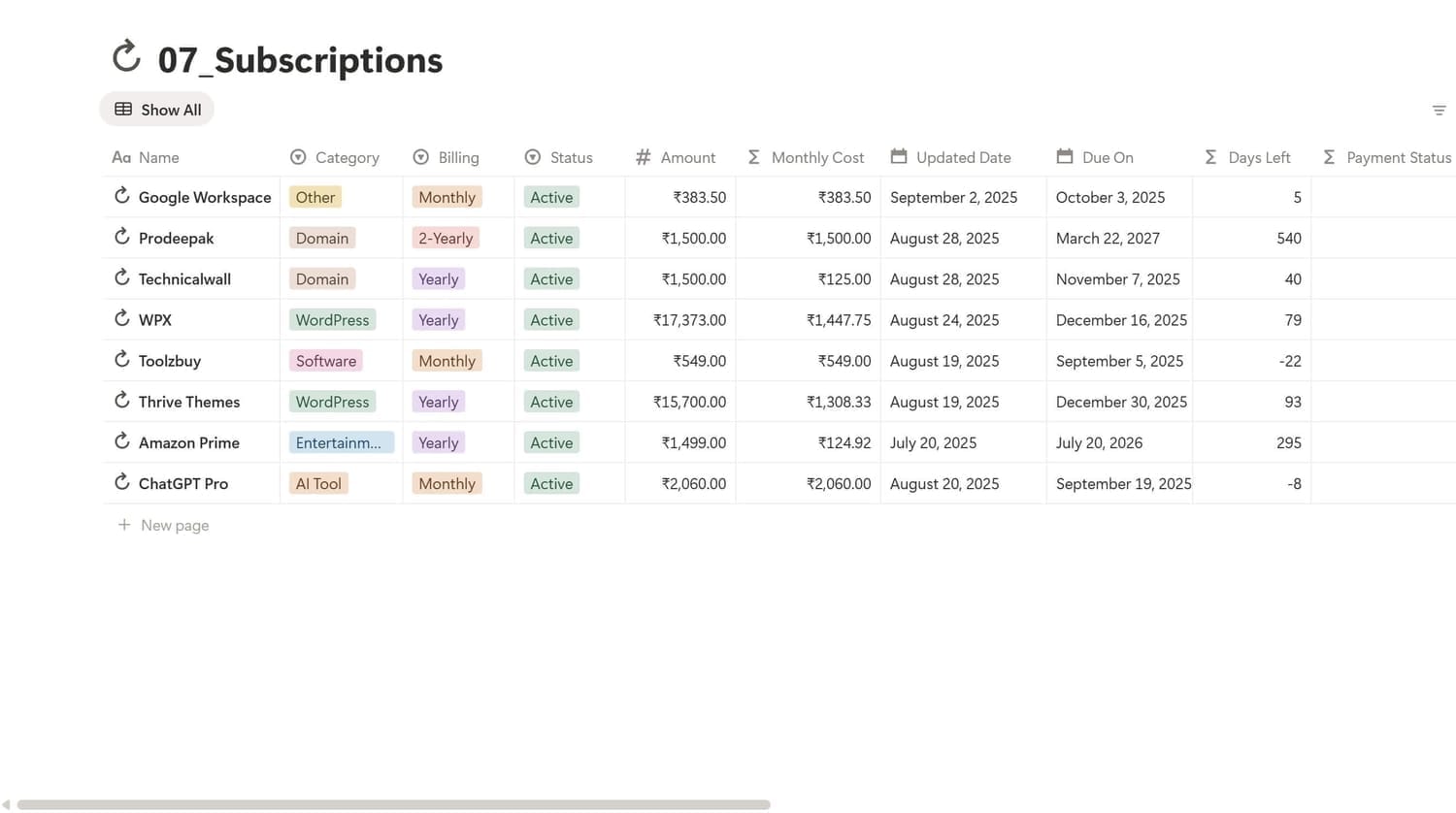
Income, Expenses, and Transfers (bank↔bank, bank→card, bank→goal, bank→investment, investment→bank).
5. Big Goals, Real Progress
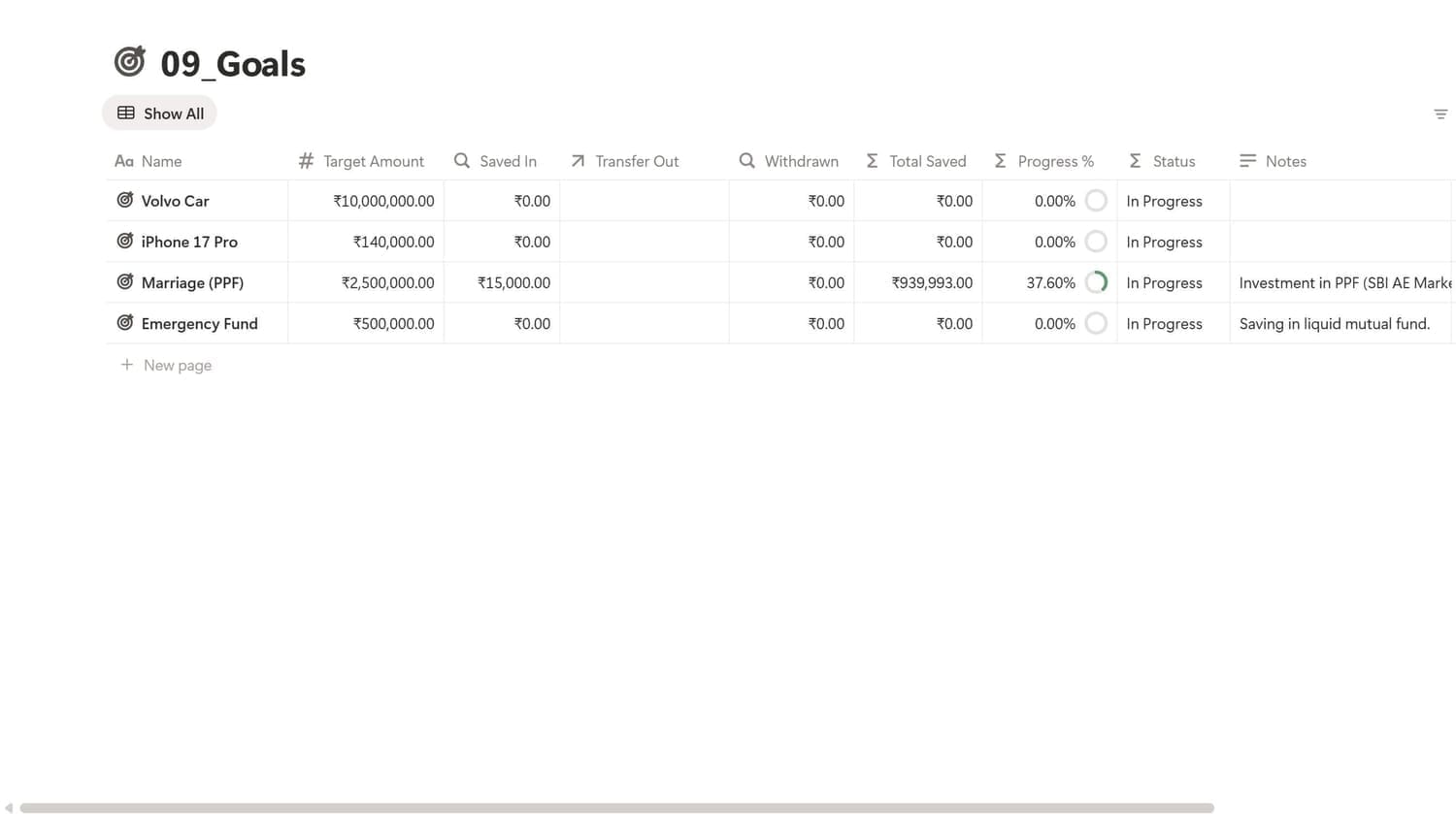
Banks, UPI/Wallets, and Credit Cards with live balances & available credit.
6. Investments Growth View
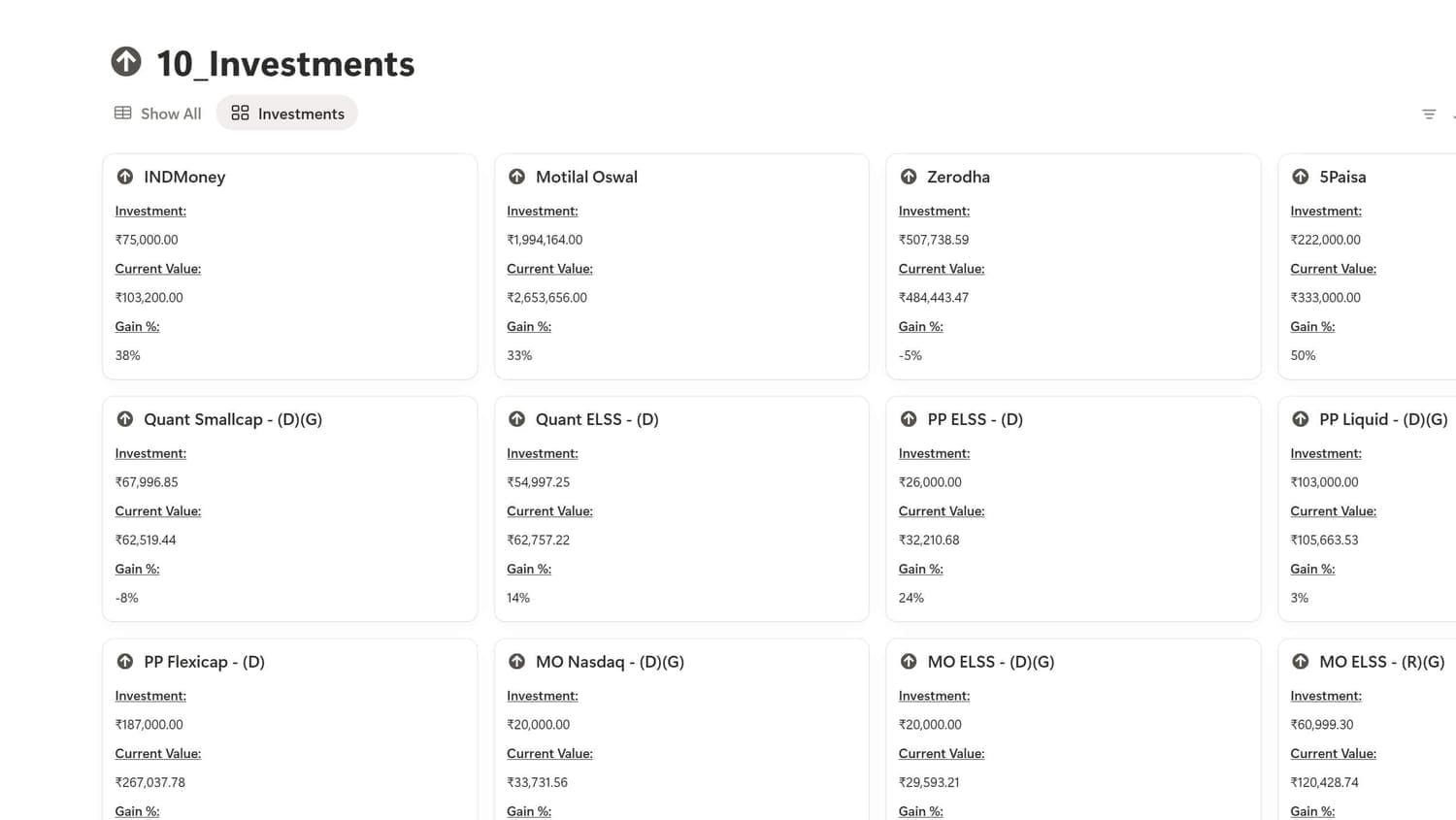
Income, Expenses, and Transfers (bank↔bank, bank→card, bank→goal, bank→investment, investment→bank).
7. Track Income
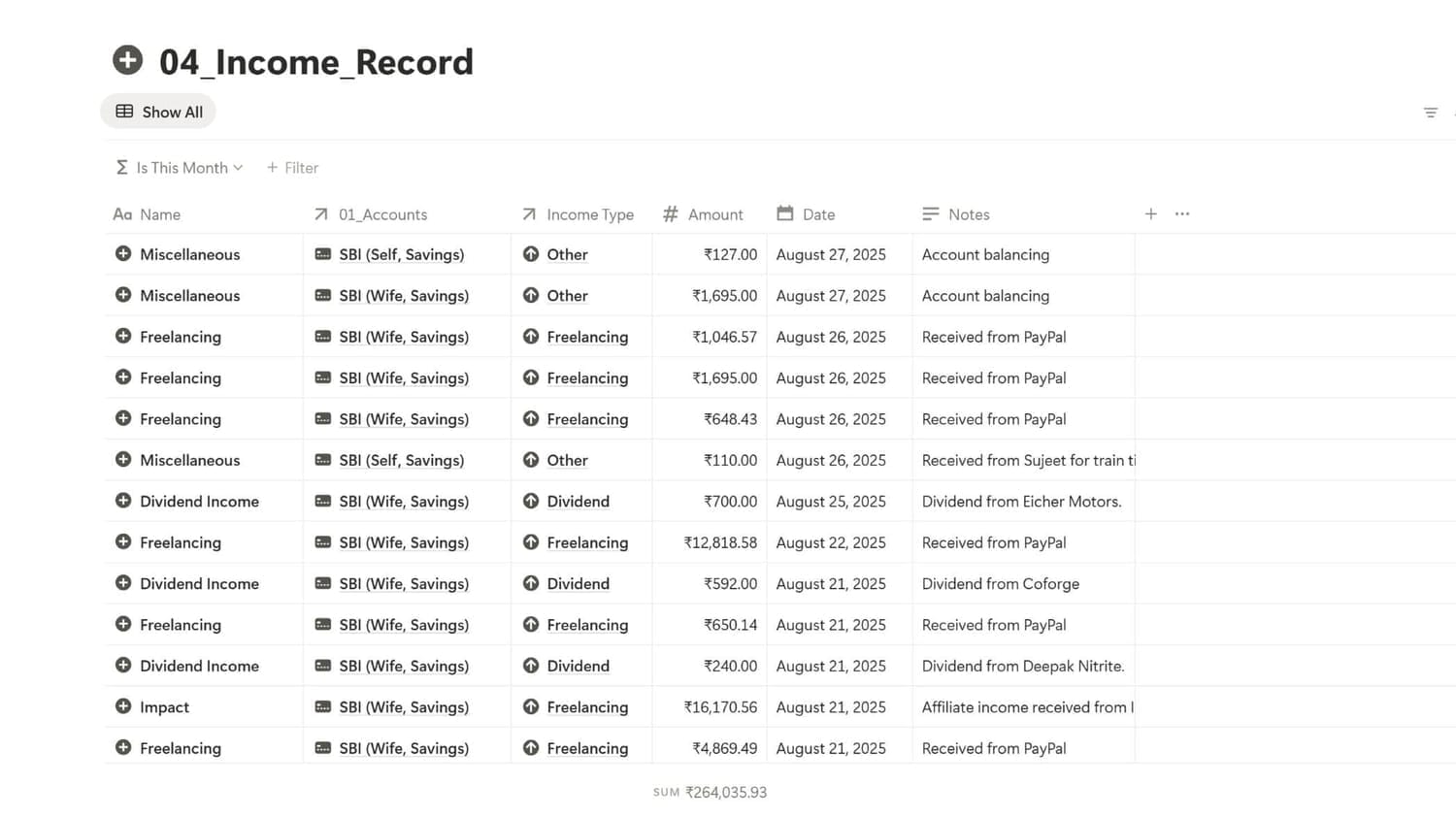
Banks, UPI/Wallets, and Credit Cards with live balances & available credit.
8. Track Expenses
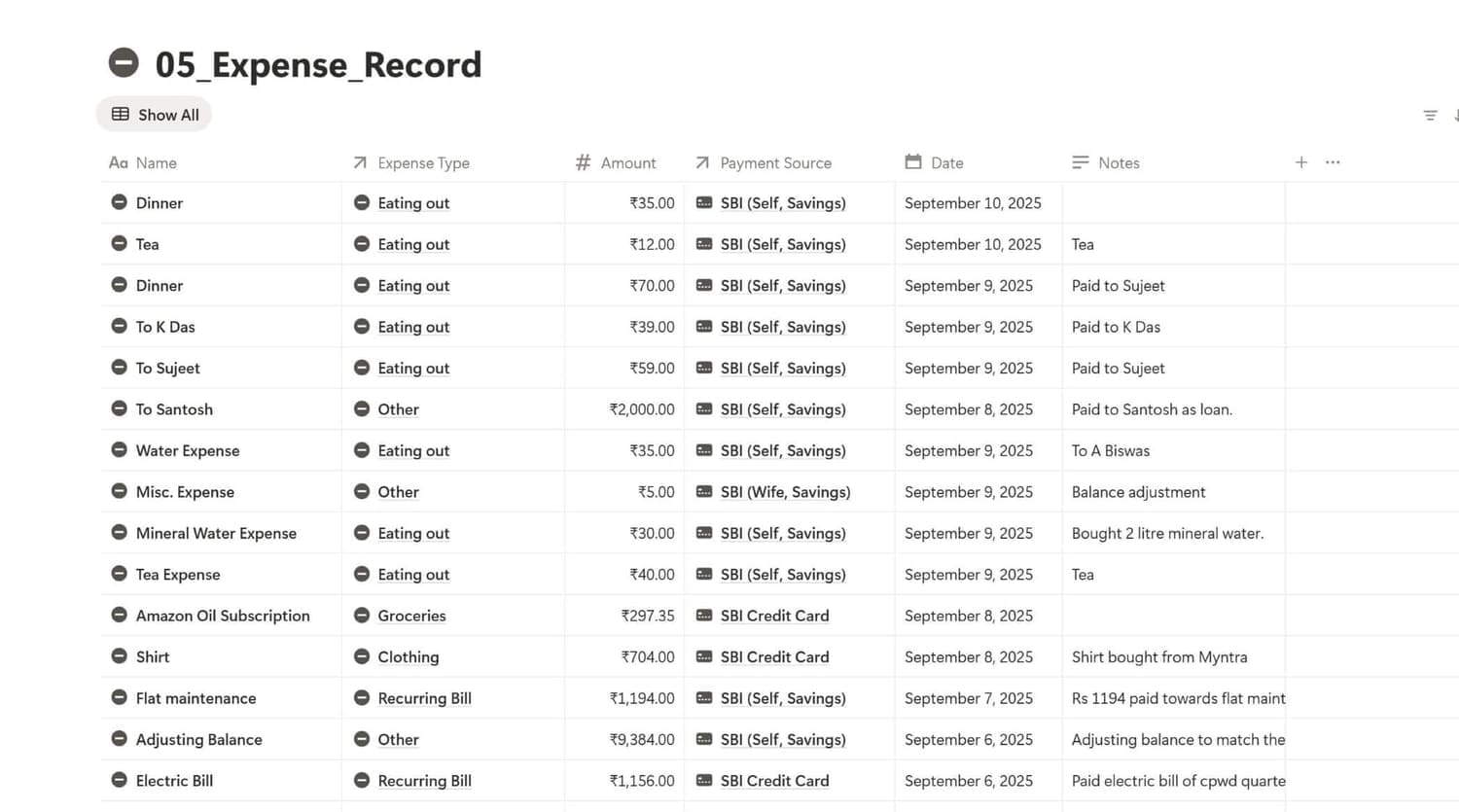
Income, Expenses, and Transfers (bank↔bank, bank→card, bank→goal, bank→investment, investment→bank).
Why Choose Finance Tracker 360?

WORKS WITH ANY CURRENCY
You can use most of the popular currency of the world such as $ / € / ₹ ... with this template.

HELP BUILT-IN
A Help Tutorial is included inside the template with step-by-step text and video walkthroughs.

LIFETIME ACCESS & SUPPORT
Buy once, use forever - You don't need to pay every month or year to use this template; You also get email support within 48 hours.

FUTURE UPDATES
Customers will get access to future updates at zero cost. Thus, any updates released by us in the future will be offered to existing customers at no cost.
You are in good company
Join hundreds of satisfied customers around the world who are already using Finance Tracker 360

I tried multiple Notion finance templates and always fell back to Excel. Finance Tracker 360 is the first one that stuck. Subscriptions and Recurring Bills keep me ahead of renewals and utilities.

Noah Williams
Customer
Budgets with Expense This Month and Budge Status keep me honest. The built-in Help Tutorial - text & videos made setup super easy. Best part: it all works on the free Notion plan—no extra subscriptions.

Emily Clarke
Customer
Budget status badges (🟢/🟠/🔴) are surprisingly motivating. I spend less because I see limits in real time.

Yuki Tanaka
Customer
The Subscriptions and Recurring Bills pages are lifesavers. No more surprise renewals, everything’s in one dashboard.

Dariusz Nowak
Customer

Lifetime support
Get reply within 48 hours
If you get stuck using the Finance Tracker 360 at any stage, send us an email at contact@trackers360.com with screenshots and we will send you a detailed reply along with a recorded video (if needed) to help you resolve the problem within 48 hours.
Pricing Plan
$17
One-time payment, lifetime access
Use Coupon Code:
GET30 to get 30% Off
Works on Free Notion Plan
Lifetime updates
Help tutorials (Text + Video)
24by7 Customer Support
Why This Template?
Clarity in one workspace: Accounts, transactions, budgets, bills, goals, investments—pre-linked and dashboarded.
Zero friction: Quick entry, month-wise views, multiple currency, and helpful defaults.
No extra cost: Works on the free Notion plan—no paid subscription required.
Our Promise
Lifetime access & support for customers.
A growing Help Tutorial with step-by-step text and video guides so you’re never stuck.
Frequently Asked Questions
Finance Tracker 360 is a complete personal finance system built in Notion. It organizes accounts, income, expenses, transfers, subscriptions, recurring bills, goals, investments, assets, and liabilities into pre-linked databases with dashboards, month-wise views, and charts—so you always know where your money goes and what’s coming next.
Yes, when structured well. Notion shines at relational data (accounts ↔ transactions ↔ budgets) and custom views (by month, by category, by account). Finance Tracker 360 adds the missing pieces: ready-made relations, formulas, rollups, and views, plus Due Soon/Overdue panels, so you get clarity without building anything from scratch.
You don't need to connect your bank, credit cards, or investment accounts. Finance Tracker 360 template works completely offline. You just need to manually enter your transactions (incomes, expenses, fund transfers, investments) to track your money.
Absolutely. The template includes a Help Tutorial with step-by-step text and video guides. Onboarding is straightforward: set currency, add your accounts, log your first income and expense, and open the Dashboard - you’ll see live totals within minutes.
Yes. Finance Tracker 360 works on Notion’s free plan—no paid subscription required. You can duplicate the template into your workspace and use all features, including the databases, relations, rollups, and views included.
Download the PDF Access Guide you receive.
Click the Access Template link → open in Notion → click Duplicate (top right).
In the template, set currency formats (₹/$/€), add your Accounts, and log one Income + one Expense. See the Help Tutorial on the Dashboard.
Open the Dashboard to see the Budget, Income & Expenses of This Month and Previous Month, Due Soon bills, Investments, Accounts, Transfers and more.
Explore the Help Tutorial for tips on using the template.
Use the built-in Help Tutorial (text + videos) inside the template.
Email deepak@technicalwall.com - you’ll get a reply within 48 hours.
Your purchase includes lifetime access and lifetime support, so you’re never on your own.
If you've questions we haven't answered here, or have any pre-sale questions, send an email to us at contact@trackers360.com.

Resources